


Dell Laptops in 2025: Are They Still a Smart Choice?
In a sea of laptop brands and models, picking the right one can feel like a daunting task. Whether you’re a student, a professional, a gamer, or just someone in need of a reliable device for daily tasks, the brand you choose does matter. One name that has consistently proven its worth is Dell. But let’s get to the heart of the matter: Are Dell laptops truly reliable and worth your investment? This article aims to break it down in a straightforward, user-friendly manner, helping you determine if Dell is the right fit for your needs. We’ll dive into Dell’s reputation, product lineup, durability, performance, and customer service to provide you with a clear answer.
To save more on your next purchase, check out verified offers and coupon codes on the Dell Coupons at 99CashDeals.com. You may find seasonal deals and discounts that significantly reduce the cost.

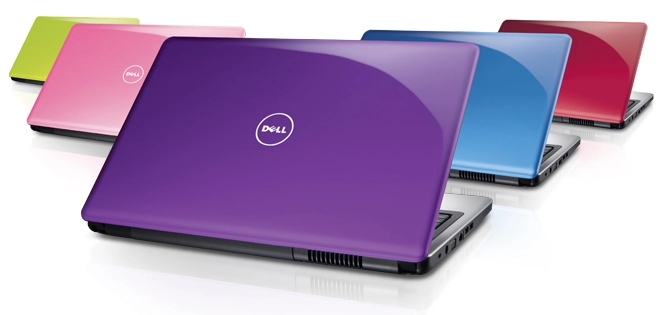
The Legacy of Dell: A Quick Overview
Founded back in 1984 by Michael Dell, Dell Technologies has grown into one of the most trusted names in the computing world. Whether it’s everyday laptops or high-powered business workstations, Dell has earned its reputation through innovation, performance, and reliability. What sets Dell apart is its knack for catering to a diverse range of users, students, professionals, creatives, gamers, and large enterprises alike. The company is well-regarded for its sturdy hardware, customizable options, and top-notch after-sales support. Over the years, Dell has expanded its offerings from personal computing to include enterprise solutions, cloud services, and data security. Its acquisition of EMC in 2016 was a bold step into the realm of digital infrastructure, enabling businesses to scale securely in our tech-driven world. With a commitment to quality and a focus on customer-driven innovation, Dell has solidified its legacy as a brand that adapts to the times while remaining grounded in performance and trust.
Dell Laptop Review: Reliability, Performance & Real-World Value
When you’re on the hunt for a laptop, Dell is a brand that really shines when it comes to durability, innovation, and performance. No matter if you’re a student, a gamer, a professional, or a content creator, Dell has a laptop that fits your needs perfectly. Let’s dive into how Dell laptops stack up in different areas, from their build quality and design to their after-sales service and pricing.
Reliability: How Durable Are Dell Laptops?
Dell is widely recognized for creating laptops that last. Many users report getting 4 to 6 years of dependable performance from their machines, often without the need for major repairs or upgrades.
Here’s what contributes to that long-lasting reliability:
- Build Materials that Protect: Dell uses high-quality materials, particularly in premium models like the XPS and Latitude series. You’ll find aluminum or carbon fiber finishes that not only look elegant but also protect the internals from impact and wear.
- Advanced Cooling Systems: Unlike many entry-level competitors, Dell invests in smart thermal management. This helps prevent overheating, which is one of the biggest causes of hardware failure over time.
- High-Grade Components: Whether it’s the latest Intel Core processors, SSD storage, or reliable RAM modules, Dell tends to use parts that ensure smoother operation and longer system life.
Performance: A Laptop for Every Need
Dell offers a wide range of models that cater to different usage types, from basic web browsing to high-end gaming and creative workflows.
A closer look at what different Dell series deliver:
- Inspiron Series: Best suited for light users. If your daily tasks include browsing, document editing, video calls, and streaming, the Inspiron lineup is a reliable and affordable option.
- XPS Series: Known for exceptional performance and display quality. It’s ideal for multitasking, photo or video editing, and running resource-heavy applications thanks to powerful processors and 4K resolution displays.
- Alienware Series: These machines are built for gamers and creative professionals. With high-end GPUs from NVIDIA or AMD, fast processors, and advanced thermal setups, Alienware handles demanding software and AAA games with ease.
- Latitude and Precision Series: Focused on the professional and enterprise market, these laptops are designed for speed, security, and scalability, making them excellent choices for business environments and workstation-level productivity.
Software and Overall User Experience
Dell laptops run on Windows OS, but what sets them apart is the added layer of usability enhancements through Dell’s software tools.
- SupportAssist and Mobile Connect: These tools simplify device management, system scans, and syncing between your Dell laptop and mobile devices.
- Easy-to-Use BIOS Interface: Dell’s BIOS is among the most intuitive, especially useful when managing hardware configurations or troubleshooting.
- Comfortable Input Experience: Dell pays special attention to keyboard design and trackpad responsiveness, particularly in the XPS and Latitude lines. This leads to improved typing comfort and overall efficiency during long hours of use.
Customer Support and After-Sales Service
Dell’s after-sales service is one of the brand’s most appreciated features, especially when it comes to premium and business laptops.
Here’s what you can expect:
- Extensive Global Support: Dell has a wide service network, offering support in most countries through certified service centers and authorized partners.
- Helpful Online Tools: The official Dell website allows users to check warranty status, troubleshoot issues, download essential drivers, and book repairs.
- On-Site Assistance: For higher-end models, Dell offers next-business-day on-site support, which is particularly helpful for business users.
- Extended Warranty Options: Users can purchase ProSupport or accidental damage coverage for extra peace of mind. However, service experiences can vary slightly for entry-level users depending on the region.
Design and Aesthetic Appeal
Over the years, Dell has made notable progress in terms of laptop design. What was once utilitarian is now sleek, premium, and user-friendly.
- Minimal Bezels for a Modern Look: Dell’s introduction of InfinityEdge displays was a turning point, offering near-borderless screens that maximize viewing area without increasing laptop size.
- Premium Finish: High-end models are crafted with attention to texture and visual appeal. Whether it’s brushed aluminum or soft-touch carbon fiber, these devices feel as good as they look.
- Improved Portability: Many of Dell’s newer models, including both premium and budget categories, are lighter and thinner than before, making them more practical for students and frequent travelers.
Battery Life: Dependable Power for Your Day
Battery backup is one of Dell’s strong points, especially in business and premium models. Actual battery life depends on usage and model type.
Here’s a general idea of how long each series lasts on a single charge:
- Inspiron Series: Provides around 6 to 8 hours during typical web use or office tasks.
- XPS Series: Known for energy-efficient displays and components, these laptops can last up to 12 hours on moderate use.
- Latitude Series: Designed for professional use, they often cross the 10-hour mark with ease.
- Alienware Series: Due to their power-hungry hardware, battery life is usually between 4 and 6 hours, ideal for gaming with a power source nearby.
- Precision Series: Battery performance can vary widely depending on how demanding your software is.
Many Dell models also support ExpressCharge, allowing up to 80% battery recharge in just one hour, which is a valuable feature for users on the go.
Pricing and Value for Money
Dell caters to nearly every budget segment, ensuring you don’t have to compromise on quality regardless of what you spend.
Typical price range in India by series:
- Inspiron: Rs. 35,000 – Rs. 70,000
- XPS: Rs.1,00,000 – Rs. 2,50,000
- Latitude: Rs. 75,000 – Rs. 1,80,000
- Alienware: Rs. 1,50,000 and above
- Precision: Rs. 1,20,000 and above
Real-World Feedback: What Users Are Saying
Feedback from actual users provides a clearer picture of what each Dell series delivers in everyday scenarios.
- Students: Appreciate the Inspiron series for its budget-friendly pricing and ability to handle schoolwork, research, and light entertainment smoothly.
- Working Professionals: Prefer the XPS and Latitude series for their excellent combination of battery backup, build quality, and performance on the move.
- Gamers and Creators: Trust the Alienware and G-Series laptops for high-speed performance and immersive visuals during gaming or content creation.
- Tech Enthusiasts: Often recommend the XPS line for users who want cutting-edge technology and a premium finish without shifting to other brands.
Pros and Cons of Dell Laptops
While Dell has earned its place as a trusted name in the world of personal computing, it’s important to weigh the strengths and limitations before making a purchase. Here’s a clear breakdown of the advantages and drawbacks of owning a Dell laptop:
Pros
1. A Model for Everyone
Dell has a laptop for just about every type of user and budget. Whether you’re a student, a business pro, a casual web surfer, a gamer, or a creative designer, there’s a Dell series tailored just for you. From the budget-friendly Inspiron line to the premium XPS and Alienware models, the variety in specs, performance, and price makes Dell a great choice for everyone.
2. Sturdy Build and Dependable Performance
One of the things that sets Dell apart is its solid build quality, especially in its higher-end models like the XPS and Latitude series. Many of their laptops are crafted from tough materials like aluminum and carbon fiber, making them resilient against everyday wear and tear. Inside, Dell packs reliable components like Intel or AMD processors, SSDs, and fast RAM to ensure smooth multitasking and lasting performance.
3. Great Battery Life Across the Board
Dell laptops, particularly in the business and premium categories, are well-known for their impressive battery life. Whether you’re working from home, on the go, or sitting through long lectures, many Dell models are designed to last all day on a single charge. Plus, those with ExpressCharge technology let you power up quickly, adding an extra layer of convenience.
4. Excellent Customer Service and Support
Dell’s after-sales support is some of the best in the business. Users can easily access online diagnostic tools, warranty checkers, and driver downloads right from the Dell website. For premium customers, there’s the added benefit of on-site support and extended warranty options, providing peace of mind in case any hardware issues arise.
5. Built to Last and Trusted by Users
Many Dell users find that their laptops last five years or more without major repairs. The brand’s commitment to quality internal hardware, along with effective thermal management, results in machines that stand the test of time. Dell is also known for honoring its warranty policies, which adds to the trust users have in the brand.
Cons
1. Budget Models May Compromise on Display and Audio
Dell’s entry-level laptops are budget-friendly, but they often skimp on important features like screen resolution, brightness, and sound quality. If you’re someone who really enjoys a vibrant multimedia experience, you might find these models a bit underwhelming compared to some other options in the same price bracket.
2. Premium Models Can Be Expensive
When it comes to high-end Dell laptops, particularly in the XPS and Alienware lines, you’re looking at a hefty price tag. While many users feel that the performance and build quality are worth the investment, those on a tighter budget might discover similar specifications from other brands at more affordable prices.
3. Inconsistent Support Quality Based on Region
Dell boasts a solid global support network, but the quality of service can really differ depending on where you are. In certain areas, users have reported delays in getting service or parts, especially for lower-end models or for those living outside major urban centers.
4. Pre-Installed Bloatware Can Affect Speed
Some Dell laptops come loaded with pre-installed software that you might not need or want. This bloatware can take up valuable storage space, slow down your system, and require you to spend time removing it. While this issue isn’t unique to Dell and is common across many brands, it’s something to keep in mind if you prefer a more streamlined Windows experience right from the get-go.
Dell vs. Competitors: What Makes It a Trusted Choice in 2025?
While Apple, HP, and Lenovo might dominate the global laptop scene, Dell has managed to create a dedicated fan base by striking a perfect balance between performance, durability, and user-friendly design.
Apple is often regarded as the benchmark for sleek design and seamless ecosystem integration, with its M-series chips leading the way in efficiency. HP, on the other hand, offers stylish designs and budget-friendly options, particularly in their Pavilion and Spectre lines. Lenovo excels in the business and student markets with its ThinkPad and IdeaPad series, which are well-loved for their practicality and comfortable keyboards.
What makes Dell truly unique is its ability to combine these strengths effectively. The XPS series competes with Apple in terms of design and display quality, while the Inspiron lineup delivers dependable performance at prices that are easy on the wallet, much like HP. Meanwhile, the Latitude and Precision models are tailored for professionals, offering the same level of reliability that Lenovo is known for.
What really distinguishes Dell is its focus on long-term usability. From thermal management and build quality to customer support and upgrade options, Dell steers clear of flashy gimmicks, concentrating instead on creating laptops that stand the test of time. Its ongoing innovation across various price points and a supportive ecosystem provide users with peace of mind whether they’re editing videos, delivering business presentations, or participating in online classes.
In 2025, Dell isn’t trying to outdo its rivals with flashy marketing or extreme minimalism; instead, it’s winning over users by crafting devices that perform reliably day in and day out, year after year.
Common Complaints and Fixes: What You Should Know Before Buying
No laptop brand is without its quirks, and Dell is certainly no exception. While Dell laptops often earn praise for their reliability and performance, some users have encountered recurring issues that can impact their experience, particularly with budget and older models. The silver lining? Most of these problems are well-known and usually fixable, thanks to Dell’s responsive support team and regular software updates.
1. BIOS and Firmware Glitches
Some users have run into BIOS errors, especially after major Windows updates or during hardware upgrades like swapping out an SSD. These glitches can lead to system freezes, boot loops, or erratic fan behavior.
Dell’s Fix: Dell frequently rolls out BIOS updates to enhance system stability. Users are encouraged to install these updates using the Dell Update Utility or the SupportAssist tool, which make the process of updating BIOS both safer and easier with just a few clicks.
2. Fan Noise and Overheating
In certain mid-range models, particularly from the Inspiron or G Series, users have reported loud fan noise or unexpected heating during simple tasks. This is often caused by background processes, dust accumulation, or aggressive thermal profiles.
Dell’s Fix: Dell has been working on optimizing thermal performance through BIOS patches and adjustments to fan curves. They also suggest that users update their thermal drivers and periodically clean out the vents. For newer laptops, features like Dynamic Power Mode in Dell Power Manager help manage heat more effectively.
3. Touchpad Sensitivity Issues
Some users have experienced touchpad inconsistencies, like jumpy cursor movements or unregistered taps, mainly in entry-level models. This can often be traced back to outdated drivers or miscalibrated settings.
Dell’s Fix: Dell provides driver updates through Windows Update and its support portal. Additionally, adjusting the touchpad sensitivity settings in Windows or recalibrating through the Dell touchpad utility usually helps resolve these issues.
4. Battery Drain During Sleep Mode
Some users have reported that their laptops lose battery power even when they’re in sleep mode, especially if they have hybrid sleep or modern standby turned on.
Dell’s Fix: To tackle this, Dell recommends switching from Modern Standby to Hibernate mode through the Power Options. They’ve also rolled out recent BIOS and driver updates that help resolve these issues, particularly for XPS and Latitude models.
5. Pre-installed Bloatware
Like many manufacturers, Dell ships its laptops with a few pre-installed applications that some users might find unnecessary. While tools like SupportAssist can be quite helpful, others may cause the device to lag during the initial startup.
Dell’s Fix: Most of this bloatware can be easily uninstalled. Dell also offers a cleaner operating system installation option through its Digital Delivery platform or the media creation tool available on their website.
Buying Tips: How to Choose the Right Dell Laptop for Your Needs
1. Start With Your Purpose
Before diving into specs, think about how you’ll be using your laptop. Dell offers specialized models for different user profiles:
- Basic Use (Browsing, emails, streaming): Go for the Dell Inspiron series.
- Students and office work: Choose Inspiron or Vostro with mid-range specs.
- Power users (designers, coders, multitaskers): Look at the XPS or Latitude series.
- Gamers and creators: Dell’s Alienware and G-Series are built for graphics-heavy tasks.
- Business professionals: Opt for Latitude or Precision with advanced security and durability.
2. Processor: The Brain of the Machine
The processor (CPU) determines how fast your laptop performs:
- Intel Core i3 / AMD Ryzen 3: Sufficient for light tasks like browsing and document editing.
- Intel Core i5 / Ryzen 5: Ideal for everyday multitasking, Zoom calls, and productivity apps.
- Intel Core i7 / i9 / Ryzen 7 or 9: Choose this if you’re into video editing, programming, or high-end gaming.
If you’re future-proofing your purchase, a Core i5 or Ryzen 5 is a smart mid-range bet.
3. RAM: For Smooth Multitasking
RAM ensures your laptop can handle multiple tasks at once:
- 4GB RAM: Okay for basic use, but you may experience lag with multitasking.
- 8GB RAM: Ideal for students and working professionals. It handles apps like MS Office, Chrome, and Zoom effortlessly.
- 16GB or more: Perfect for creators, coders, and gamers. Ensures a lag-free experience even under heavy loads.
Look for laptops with upgradeable RAM slots for added flexibility down the road.
4. Storage: SSD vs HDD
When it comes to storage, performance and speed matter as much as capacity:
- SSD (Solid State Drive): Much faster than traditional hard drives. Your laptop boots quicker, apps load faster, and overall performance is smoother. Highly recommended, even a 256GB SSD is better than a 1TB HDD.
- HDD (Hard Disk Drive): Offers more space at a lower cost, but is slower. Suitable if you’re storing lots of large files and don’t mind slower boot times.
Tip: Choose a laptop with at least a 256GB SSD or a combo of SSD + HDD for both speed and space.
5. Display: Choose Comfort and Clarity
Don’t underestimate the importance of screen quality, especially if you’ll spend long hours in front of it.
- Screen Size: 13″ for portability, 15.6″ for balance, 17″ for immersive viewing or multitasking.
- Resolution: Go for Full HD (1920×1080) at minimum. Higher-end models like XPS even offer 4K displays.
- Panel Type: IPS panels offer better viewing angles and color accuracy, ideal for designers and binge-watchers.
- Touchscreen: Found in many 2-in-1 Inspiron or XPS models. Handy if you like tablet-style interaction.
6. Battery Life: Look for All-Day Power
If you’re often on the move, battery life is a key factor.
- Inspiron and XPS models usually offer 6–12 hours.
- Latitude is built for professionals and can last up to 15 hours.
- Alienware, with its powerful internals, offers 4–6 hours, which is typical for gaming laptops.
Pro tip: Look for Dell laptops with ExpressCharge technology, which can charge up to 80% in an hour, perfect for quick top-ups.
7. Ports and Connectivity
Make sure your laptop has the right ports for your daily needs:
- USB Type-C / Thunderbolt 4: For fast charging, data transfer, and display output.
- HDMI: Essential if you plan to connect to external monitors or projectors.
- SD Card Reader: Useful for photographers or video editors.
- Wi-Fi 6 & Bluetooth 5.0: Standard in most modern models ensures faster and more stable connectivity.
8. Budget: Match Specs to Your Wallet
Here’s a rough guide for what you can expect at different price points in India:
- Below ₹50,000: Basic use laptops – entry-level Inspiron or Vostro.
- ₹50,000 to ₹90,000: Mid-range multitaskers – higher-end Inspiron or entry XPS.
- ₹90,000 to ₹1.5L+: Premium performance – XPS, Latitude, Alienware, or Precision.
You can also explore verified Dell coupons and discount offers on 99CashDeals to get more value for your money.
Where to Find the Best Deals on Dell Laptops
If you’re planning to invest in a Dell laptop, why not make your money go further? With a little bit of smart shopping, you can score impressive discounts, cashback offers, and bundled deals that reduce your overall cost without compromising on quality. Whether you’re eyeing a high-performance Dell XPS, a business-focused Latitude, or a budget-friendly Inspiron, there are plenty of opportunities to save; you just need to know where to look.
You can also explore verified Dell coupons and discount offers on 99CashDeals to get more value for your money.
1. Official Dell India Website
Dell’s online store is a great place to begin. The site frequently runs:
- Festival and holiday discounts (Republic Day, Diwali, Independence Day, etc.)
- Back-to-school and Work-from-home bundles that include accessories
- Exchange offers where you can swap your old laptop for additional discounts
- Instant cashback with select bank cards and EMI options
Bonus: Dell often offers free upgrades on RAM or SSD during promotional periods.
2. Verified Coupon Platforms like 99CashDeals
For curated and regularly updated deals, 99CashDeals is a must-visit. It lists verified Dell coupons, seasonal sale alerts, and exclusive discount codes that you won’t typically find elsewhere. This platform ensures:
- Authentic and working promo codes
- Exclusive deals for specific Dell models or series (e.g., XPS or Inspiron)
- Bank offers, cashback codes, and combo discounts
- Easy copy-paste coupon options with direct links to Dell’s official site
It’s especially helpful during major sale events like Amazon Great Indian Festival, Flipkart Big Billion Days, or Dell’s own Tech Monday sales.
3. E-Commerce Giants: Amazon, Flipkart & Croma
Leading platforms often offer flash sales and limited-time price drops:
- Amazon India features Dell’s full product range with user reviews and Prime delivery benefits.
- Flipkart includes EMI options, exchange deals, and frequent tech clearance sales.
- Croma and Reliance Digital sometimes bundle laptops with freebies like bags, headphones, or extended warranties.
Always compare prices across these platforms and don’t forget to apply a 99CashDeals coupon wherever applicable.
4. Student & Corporate Discounts
Dell India also runs exclusive student and corporate discount programs. If you’re a college student or working in a registered organization, you can sign up with a valid ID to receive special pricing, early access to launches, and free priority support.
These offers can be combined with other ongoing promotions, making them especially valuable.
5. Seasonal & Clearance Sales
Don’t overlook end-of-season or clearance events, especially around:
- New Year
- Back to College
- Dell Anniversary Sale
- Year-End Tech Clearance
Final Thoughts:
In 2025, Dell remains a go-to choice for a wide range of users, whether you’re a student, a professional, a gamer, or a creative. With a strong emphasis on performance, durability, and smart design, Dell’s collection has something to fit every budget and requirement.
From the stylish XPS and robust Alienware to the reliable Latitude and budget-friendly Inspiron, Dell masterfully combines innovation with everyday practicality. While some of the more affordable models might come with a few compromises, the overall experience and lasting value make Dell a brand that’s worth your attention.
Still unsure? Make sure to snag the best deal by checking out exclusive Dell laptop coupons and verified offers at 99CashDeals before making your purchase!