
Bluehost vs. GoDaddy: Which Is Better Web Hosting In 2025
Finding the right web hosting provider is crucial if you want to establish a strong online presence. Two names that frequently appear are GoDaddy and Bluehost. While they share some similarities, they also have distinct differences.
GoDaddy is often a great choice for individuals just starting out or for small businesses. It’s handy because they offer everything you might need under one roof, like registering your domain, hosting your site, and even marketing tools, which makes it super easy to get going.
Bluehost, in contrast, really shines for WordPress users who are looking for better performance and room to scale up their sites. It’s built to work seamlessly with WordPress, and it’s a solid choice if you anticipate your website growing over time.
Both GoDaddy and Bluehost offer plans that are affordable and friendly for beginners, but the specific plans differ.
If you are looking for the best Deals and Coupons, you can check here – Web Hosting and Domains Coupons page
GoDaddy vs. Bluehost: Quick Comparison
| Features | Bluehost | GoDaddy |
| Hosting Types | Shared, VPS, Dedicated, WordPress | Shared, VPS, Dedicated, WordPress, Website Builder |
| Best For | Optimized for WordPress, with fast loading times | Decent performance, not optimized for WordPress |
| Collaboration Tools | Google Workspace and Microsoft 365 integration | Microsoft 365 email hosting and Teams integration |
| Domain Management | Basic domain management | Advanced domain tools |
| Performance | Uptime: 99.97%; slower under high traffic | Uptime: 99.98%; faster under traffic |
| Customer Support | 24/7 phone and chat; mixed reviews | 24/7 phone, chat, tickets; positive reviews |
| Security Features | Free SSL; daily backups (extra costs) | Free SSL, SiteLock, CodeGuard on higher tiers |
| WordPress Integration | Supports WordPress, but is not recommended | Officially recommended by WordPress.org |
| Starting price | $2.95 | $5.99 |
About Bluehost
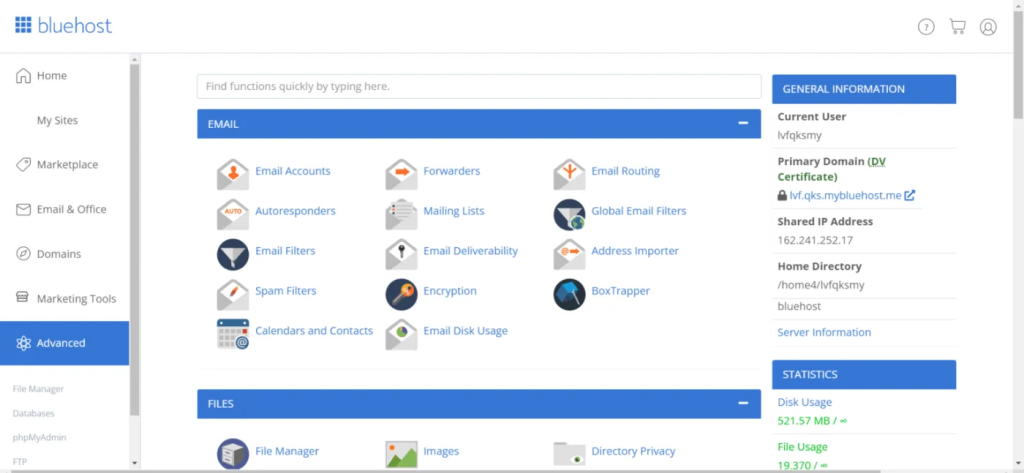
Bluehost is a great option for folks who are new to web hosting, offering easy-to-use services that start as low as $2.95 per month. They provide several shared hosting plans – Basic, Choice Plus, and Pro – all of which come with useful features like a free SSL certificate, a free domain for the first year, and unlimited bandwidth. If you need more power, their higher-end plans let you host unlimited websites, give you more storage space, and include automatic backups, which is perfect for businesses that are growing or for managing several sites. Bluehost also caters specifically to WordPress and WooCommerce users, promising better performance and handy tools for setting up an online store. While it’s a solid pick for beginners, just be aware that the prices jump quite a bit when it’s time to renew, and you’ll likely encounter plenty of suggestions to upgrade. Additionally, more experienced users might find the customization options a bit too restrictive.
Bluehost Web Hosting Plans:
Basic Plan: Around Rs. 250 per month (starting at $2.95). This is a great choice if you’re just starting with a small blog or a single website. Just keep in mind that it renews at Rs. 460 per month ($11.99).
Choice Plus Plan: Approximately Rs. 460 per month (starting at $5.45). This plan is designed for those running several websites, offering extra storage and automated backups for peace of mind. It renews at Rs. 840 per month ($21.99).
WooCommerce Plan: Roughly Rs. 840 per month (starting at $9.95). Perfect for setting up an online store! It comes with built-in tools for selling and essential security features. Be aware that it renews at Rs. 1,180 per month ($26.99).
Pro Plan: About Rs. 1,180 per month (starting at $13.95). If your website gets a lot of visitors and you need top-notch performance, this plan is ideal. It renews at Rs. 1,320 per month.
($28.99).
The best part? You can easily apply the Bluehost Discounts page to save extra on your hosting plans.
About Godaddy
GoDaddy is a well-known hosting company that offers plenty of options, like shared hosting, managed WordPress plans, VPS hosting, and dedicated servers. If you go with shared hosting, you can start at just $5.99 each month. That includes a free domain name, an SSL certificate, and a simple way to set up WordPress with one click. Their WordPress-specific plans begin at $7.99 per month and come with automatic updates and security features. VPS hosting starts at $8.99 monthly, while dedicated hosting is available from $148.99 per month. Although GoDaddy has great domain and marketing tools, one downside is that prices can jump significantly when it’s time to renew, and they don’t offer free website transfers. It’s a solid choice if you want everything handled in one place for hosting, domains, and building your site.

GoDaddy Web Hosting Plans :
Economy Plan: Priced at $5.99 per month when you sign up for three years. This plan is perfect for those just starting. It allows you to host one website and comes with a free domain name, email, and SSL certificate for the first year.
Deluxe Plan: Available for $7.99 per month on a 3-year term. This is a great option if your website is growing. It can support up to 10 websites and includes a free domain, email, and unlimited SSL certificates.
Ultimate Plan: Costs $12.99 per month for a 3-year commitment. This plan is ideal for websites with a lot of visitors. It lets you host up to 25 websites, offers more power, and includes all the features you get with the Deluxe plan.
Want to save more? Just use a GoDaddy coupon at checkout for instant discounts.
Bluehost vs. GoDaddy: Hosting Feature Comparison
Automatic Backups
Bluehost only provides automatic backups if you go for one of their higher-priced plans, like Choice Plus or Pro. If you choose their Basic plan, you won’t get daily backups unless you’re prepared to pay extra or set up a third-party plugin yourself. This can be a bit of a hassle, especially for beginners who are looking for straightforward ways to keep their website safe.
GoDaddy makes things simpler by offering free daily backups across all of its hosting plans. Plus, you get handy features like one-click restoration, malware scanning, and database backups included. This makes GoDaddy a more attractive choice for anyone wanting convenient, built-in backup protection without having to upgrade their plan.
Domain Management Tools
Bluehost offers some fundamental domain features, like getting a free domain for your first year, managing your DNS settings, and setting up domain forwarding. These are generally sufficient for personal sites or smaller websites.
GoDaddy takes domain management to a whole new level. It lets you buy multiple domains at once, transfers are straightforward, you get domain privacy protection, and its dashboard is really easy to navigate. If you’re running a business or handling several domains, GoDaddy is definitely the stronger option.
Collaboration Tools
Bluehost offers some basic options, such as email hosting and connections to Google Workspace and Microsoft 365. However, it doesn’t include its tools for team coordination or sharing documents.
GoDaddy has some solid collaboration features thanks to its integration with Microsoft 365. You get email hosting, shared calendars, cloud storage through OneDrive, and the ability to use Microsoft Teams. This makes GoDaddy a really good fit for businesses that want all their email, file sharing, and communication needs covered in one convenient place.
Bluehost Pros and Cons
Bluehost Pros
Excellent for WordPress: Bluehost is officially recommended by WordPress itself, which is a big plus. It works well with WordPress sites.
Speed and Reliability: Your site should load quickly, and you can count on it being up and running reliably most of the time.
Simple to Use: Getting started is easy thanks to the straightforward dashboard and one-click setup process – ideal if you’re new to this.
Free Security Boost: Every plan comes with a free SSL certificate included, which helps keep your website safe and secure.
Bluehost Cons
Renewal Costs Skyrocket: Be prepared for price hikes after the initial year they can increase quite a bit.
Limited Customization: If you’re looking for more advanced customization options, this might not be the best fit.
Backup Concerns: The lower-tier plans don’t offer automatic backups. To get them, you’ll either need to upgrade your plan or purchase additional backup features.
GoDaddy Pros
All-in-one platform: You can handle everything from buying a domain name and building your website to hosting it and using marketing tools, all conveniently in one place.
Easy for Beginners: It’s designed to be straightforward, with a simple dashboard and one-click installations to make getting started a breeze.
Many hosting options: They offer various hosting plans to suit different needs, including shared hosting, WordPress-specific plans, VPS hosting, and dedicated hosting.
24/7 customer support: Help is available anytime via phone or live chat.
GoDaddy Cons
Higher prices for beginners: Entry-level plans cost more compared to Bluehost.
No free SSL on basic plans: You only get SSL with higher plans.
Speed can be inconsistent: Website loading time may vary depending on traffic and plan.
Not the best for WordPress: Doesn’t work as smoothly for WordPress sites as Bluehost does.
Should your organization use Bluehost or GoDaddy?
Bluehost, if you’re looking for a solid WordPress hosting solution, offers the perk of free SSL and wants better site performance. It shines for blogs, nonprofit organizations, and new businesses just getting started.
Go for GoDaddy if you want everything in one place,e like domain services, hosting, and marketing tools all together. This is great for businesses handling many domains. Just keep in mind that things like SSL certificates and backups might come with additional costs.
How We Compared Bluehost and GoDaddy?
Choosing between Bluehost and GoDaddy depends on your needs. Bluehost is better for WordPress users, offering faster speed and better optimization. GoDaddy is ideal for small businesses, with strong domain management, marketing tools, and all-in-one services. Bluehost is more budget-friendly, while GoDaddy offers more business features.
Final Thoughts
Choose Bluehost if you want affordable, beginner-friendly hosting that’s optimized for WordPress and great for growing websites. It’s ideal for bloggers, startups, and small teams. Go with GoDaddy if you need an all-in-one platform for domains, hosting, email, and marketing, perfect for small businesses managing multiple services. Pick the one that best fits your website goal, and don’t forget to use discount codes from 99cashdeal.com to save more.